
How Powersports & Marine Tuning Works with HP Tuners
Published on: July 7, 2026Categories: Education

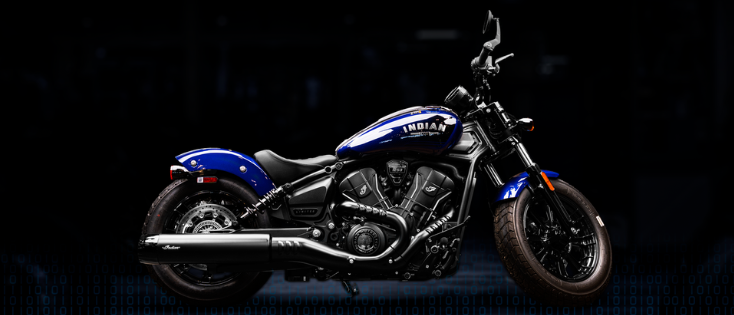
A powersports or marine machine rarely lives one kind of life. It may spend a Saturday chasing open water, hauling gear through rough terrain, working long days on a charter route, or carrying a rider farther from home than a standard commuter ever goes. That is why the right tuning workflow is not just about changing a calibration. It starts with understanding how the vehicle is used, confirming what your specific application supports, and pairing it with the right tools, cables, licensing, and professional guidance.
With HP Tuners, supported powersports and marine applications can be connected to a workflow built around data logging, calibration access, and application-specific hardware. HP Tuners provides the tools – not pre-made tunes or calibrations – so the exact path depends on the vehicle, ECM, cable requirements, and whether an ECM upgrade service applies.
Why Tune Powersports and Marine Vehicles?
Marine and powersports owners often arrive at tuning with very different priorities. For marine applications, the conversation is commonly about how the boat performs over long days on the water: fuel use, operating range, consistent power delivery under load, and having useful data available for a charter operation, fishing boat, or recreational setup. For commercial and high-use marine customers in particular, operating cost can matter just as much as outright speed.
For most other powersports platforms, the focus is usually more connected to the way the vehicle responds in its environment. Side-by-side, ATV, snowmobile, motorcycle, and personal watercraft owners may be looking to refine throttle response, improve power delivery, account for supported modifications, or better understand vehicle behavior across changing terrain, load, and riding conditions. In both cases, the goal is not a generic tune. It is a calibration workflow that matches the application, the vehicle, and the owner’s intended use.
For shops, dealers, and remote tuners, HP Tuners tools help support customers across a wide range of applications without relying on a one-size-fits-all process. The goal is to understand the vehicle, confirm what is supported, gather accurate data, and build the calibration around the application.
How the HP Tuners Workflow Works
The basic process is straightforward:
- Confirm your vehicle is supported.
- Choose the compatible HP Tuners interface.
- Install the latest version of VCM Suite.
- Confirm how many credits you need to license your model.
- Make sure you have the correct OBDII adapter cable/marine cable.
- Check whether an ECM upgrade service is required.
- Log data, review diagnostics, and make supported calibration changes.
The details depend on the vehicle. Some applications can be tuned through the diagnostic port with the correct interface and cable. Others may require additional service before tuning can begin. That is why compatibility should always be checked before purchasing hardware, credits, cables, or services.
Step 1: Confirm Vehicle Compatibility
Before purchasing hardware, credits, adapter cables, or services, confirm that your specific vehicle is supported.
Compatibility is the foundation of every HP Tuners powersports and marine workflow. While two vehicles may come from the same manufacturer, they can use different ECMs, licensing requirements, adapter cables, or tuning methods depending on model year and application.
Checking compatibility first helps answer several important questions:
- Is my vehicle currently supported?
- Which HP Tuners interface do I need?
- How many Universal Credits are required?
- Which adapter cable is needed?
- Does my ECM require an upgrade service?
Starting with compatibility helps ensure you purchase the correct hardware and understand any application-specific requirements before getting started.
Step 2: Choose the Right Interface
Once compatibility has been confirmed, the next step is selecting the interface that is compatible with your specific model.
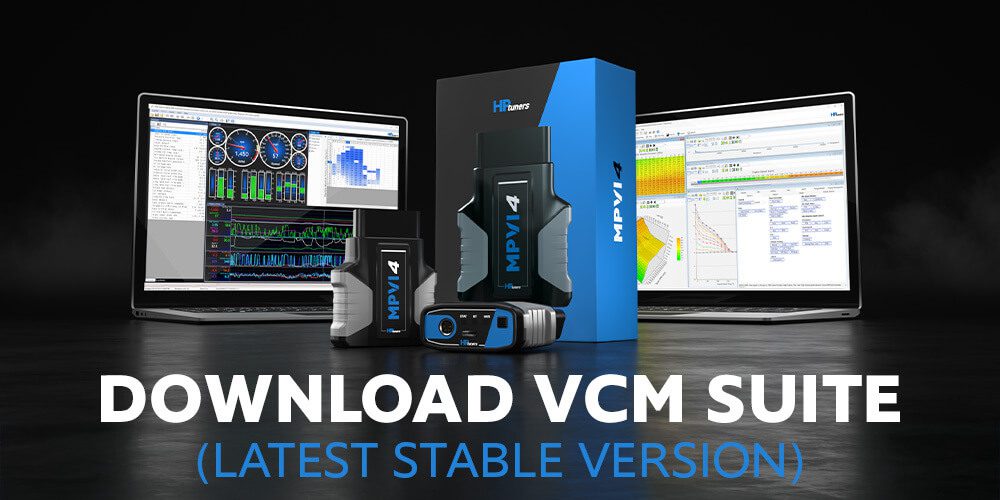
MPVI4
For most hands-on tuning and diagnostic work, MPVI4 is the primary interface used with supported powersports and marine applications.
When paired with VCM Suite, MPVI4 allows users to communicate with supported vehicles, review diagnostics, log data, license controllers, and perform calibration functions where supported.
Whether you’re troubleshooting a vehicle, collecting data for a tuner, or building your own calibration, MPVI4 serves as the connection between your vehicle and HP Tuners’ software.
RTD4 and Tune Delivery Network
Some customers prefer to work directly with a professional tuner rather than create their own calibration.
RTD4 supports those remote tuning workflows by allowing customers to exchange files and data logs with a tuner. When paired with Tune Delivery Network (TDN), tuners can distribute calibration files, review logs, and support customers remotely without requiring a visit to a physical shop.
This can be especially useful for powersports and marine owners who may not have access to a local tuner familiar with their specific application.
With compatibility confirmed and the correct interface selected, the next step is installing the software used to log data, review diagnostics, and make supported calibration changes.
Step 3: Use VCM Suite for Data and Calibration
VCM Suite is the software used with HP Tuners interfaces. It includes two primary applications: VCM Scanner and VCM Editor.
VCM Scanner
VCM Scanner is used to view live data, log vehicle parameters, review diagnostic information, and understand how a supported vehicle is operating.
For powersports and marine applications, this data is important. A tuner needs to see how the vehicle responds under real conditions, whether that is on the trail, on the water, or during a controlled test session.
Even if you are not building your own calibration, VCM Scanner can help you collect useful data for a professional tuner or diagnose issues before making changes.
VCM Editor
VCM Editor is used to make supported calibration changes for compatible vehicles.
Available parameters vary by application, controller, model year, and support level. A supported table on one vehicle may not be available on another, which is why current compatibility information should always be reviewed before purchasing.
Together, VCM Scanner and VCM Editor give users the ability to gather data, review diagnostics, and refine supported calibrations through one software ecosystem.
Step 4: Understand Universal Credits
Universal Credits are HP Tuners’ licensing system.
Before a supported controller can be tuned, it must first be licensed to a compatible HP Tuners interface. Once licensed, users can access supported calibration functions for that controller.
Credit requirements vary by vehicle and ECM, so always confirm the exact credit requirement before purchasing.
Think of credits as the licensing step that connects your HP Tuners interface to the specific controller you are working with.
Step 5: Confirm Adapter Cable Requirements
Many powersports and marine vehicles do not use a standard OBDII connector. Because of that, an application-specific adapter cable is often required.
The required cable depends on the vehicle, manufacturer, controller, and connection method. Common examples include BRP, Polaris/Indian, Honda Powersports, Yamaha Marine, and Moto Euro5 adapter cables.
Always confirm the exact cable requirement through Vehicle Compatibility before purchasing. Your interface, software, and credits may all be correct, but without the proper adapter cable, communication with the vehicle may not be possible.
Step 6: Check Whether an ECM Upgrade Service Applies
Some supported powersports vehicles require an ECM upgrade service before tuning can begin.
For select Bosch MG1-equipped powersports applications, HP Tuners requires a one-time Powersports MG1 ECM Upgrade Service to activate tuning capabilities. This service currently applies to select MG1-equipped models from Can-Am, Indian Motorcycle, Polaris, Sea-Doo, and Ski-Doo.
If your vehicle requires this service, the ECM must be removed and shipped to HP Tuners. Once upgraded and returned, supported vehicles can be tuned, logged, and diagnosed through the diagnostic port using the correct HP Tuners interface, Universal Credits, and OBDII adapter cable.
This service does not apply to every supported powersports vehicle and is not compatible with Honda powersports models. Always confirm whether your specific ECM requires the service before purchasing or shipping an ECM.
Working with a Professional Tuner
Not every powersports or marine owner wants to build their own calibration.
Many customers work with a professional tuner, dealer, or shop to review data, create calibration files, and guide the tuning process. This is especially common for modified vehicles, remote customers, and application-specific setups.
Using HP Tuners tools, a professional tuner can:
- Review diagnostic information and data logs
- Build a calibration tailored to the vehicle and modifications
- Support remote tuning workflows using RTD4 and Tune Delivery Network
- Help identify the correct hardware, credits, and adapter cables for the application
Whether you’re tuning the vehicle yourself or working with a professional, the process follows the same foundation: confirm support, use the correct hardware, gather accurate data, and make informed calibration decisions.
Before You Get Started
Before purchasing hardware, credits, cables, or services, take a few minutes to confirm:
- Your vehicle is currently supported
- You have selected the correct interface
- You understand the Universal Credit requirement
- You have the proper adapter cable
- Your ECM does not require an upgrade service
- You have access to a professional tuner if needed
Completing these checks up front can help avoid delays and ensure a smoother tuning experience from day one.
Ready?
Ready to start your powersports or marine tuning workflow?
Begin with Vehicle Compatibility, then review the interface, software, adapter cable, Universal Credits, and services required for your specific application.
Whether you are tuning hands-on, working with a professional tuner, or supporting customers through a shop or dealer, HP Tuners gives you the tools to log data, review diagnostics, and build a custom calibration workflow around supported vehicles.
Frequently Asked Questions
Do HP Tuners devices come with pre-loaded tunes?
No. HP Tuners devices do not include pre-loaded tunes or ready-made calibration files. HP Tuners provides the tools used to read, write, log, diagnose, and support custom tuning workflows. The calibration file is created by the user, dealer, or professional tuner.
Do I need Universal Credits?
Universal Credits are required to license the supported controller to your HP Tuners interface before calibration changes can be written. Credit requirements vary by vehicle and controller, so confirm the exact requirement before purchasing.
What vehicles require an adapter cable?
Most supported powersports and marine applications require an application-specific adapter cable. Requirements vary by manufacturer, model, engine, and ECM. Always check vehicle compatibility before purchasing an adapter cable.
Do I need an ECM upgrade service?
It depends on the vehicle and ECM. Select MG1-equipped powersports vehicles require the Powersports MG1 ECM Upgrade Service before tuning can begin. Always check current compatibility and service requirements before removing or shipping an ECM.
Can I work with a professional tuner?
Yes. Many customers use HP Tuners tools while working with a professional tuner, dealer, or shop. RTD4 and Tune Delivery Network can also support remote tuning workflows where appropriate.
Where should I check compatibility before buying?
Start with vehicle compatibility. Confirm your exact year, make, model, engine, and ECM before purchasing an interface, adapter cable, credits, or ECM service.