
Drive Cycles in VCM Scanner: What are they?
Published on: February 4, 2026Categories: Education

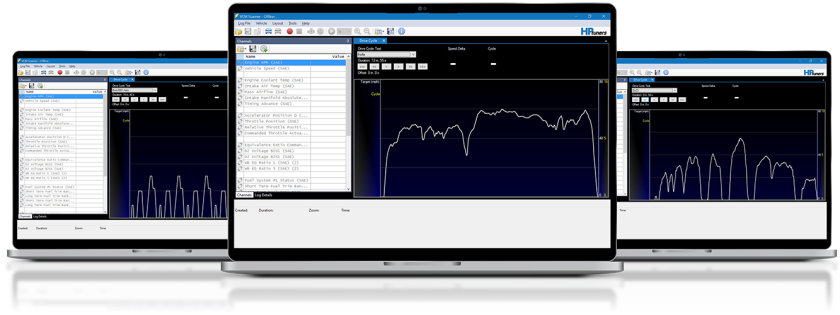
Drive Cycles are standardized driving patterns used to evaluate emissions and fuel economy in controlled tests. VCM Scanner’s Drive Cycle panel guides you through these procedures in real time so you can reproduce official traces, validate calibration behavior, and document results—ideal for shops and dealers developing emissions-compliant products and preparing for third-party certification.
Important: Standardized certification cycles are not intended to set OBD readiness. Readiness must be complete before any certified emissions testing.
Why Drive Cycles Matter?
Modern tuning isn’t just about power—it’s about predictable behavior under standardized conditions. When you run an official drive cycle, you can:
- Reproduce the same test conditions for A/B comparisons during R&D.
- Validate that your fuel, spark, torque, and airflow strategies behave as intended across prescribed speed/load segments.
- Build a documentation trail that supports the submission process for third-party emissions certification.
Note: OBD readiness monitors must already be set before any lab testing. Use the Emissions Monitors view to confirm readiness in your general workflow, but do not use standardized certification cycles to “set” readiness.
What You Can Do in VCM Scanner
VCM Scanner includes a dedicated Drive Cycle panel (VCM Suite 4.13+):
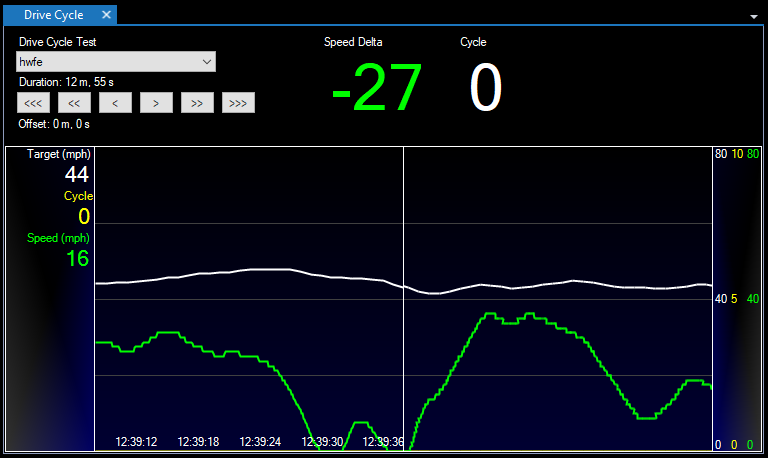
- Follow a target speed trace in real time (white line = target, green line = vehicle speed).
- Stage-by-stage guidance for accelerations, decelerations, and steady-state holds.
- Integrated logging so you can review fuel trims, lambda, ignition timing, catalyst temps (if available), misfire counters, and more.
- Cross-check readiness in Diagnostics & Information → Emissions Monitors as part of your general validation workflow (again, certification cycles are not used to set readiness).
Readiness check in Diagnostics & Information -> Emissions Monitors after the cycle.
Quick Start (Step‑by‑Step)
Connect & Prepare
- Use your HP Tuners interface (MPVI4 or RTD where supported) and open VCM Scanner (close VCM Editor if open).
- Load a layout that includes the Drive Cycle panel.
- Choose a low-traffic route with room to hit targets smoothly; pre-condition the vehicle per the required procedure.
Select the Drive Cycle
- Open the Drive Cycle panel and pick the required procedure.
- If the protocol requires it, begin with a cool engine or specific temperature window.
Start Scanning
- Key ON, connect, then Start Scanning.
Follow the Trace
- Match your speed to the on-screen target; keep inputs smooth and on-time.
- If traffic interrupts the sequence, safely abort and restart.
Verify Readiness
- After the cycle, save the log with calibration ID, ambient conditions, and notes.
- Use Emissions Monitors to confirm readiness during your broader workflow, but remember: certification testing requires readiness to be complete before the official test begins.
Remote option: When appropriate, you can guide a driver through the cycle using RTD and manage files through TDN.
Best Practices
- Control variables: Keep fuel, test weight, tire pressures, and ambient conditions consistent.
- Temperature windows: Some procedures require specific coolant/oil temps—plan your pre-conditioning.
- Channel selection: Log airflow-modeling channels, STFT/LTFT, commanded & measured lambda, ignition timing, catalyst temps (if equipped), and misfire/cylinder contribution.
- Repeatability: Re-run the same cycle after each revision to isolate cause and effect.
- Documentation: Attach logs and notes to your internal R&D record for traceability.
Measurement note: To know whether the vehicle is “clean,” you need appropriate tailpipe measurement equipment (e.g., PEMS or a 5-gas analyzer). VCM Scanner does not measure emissions directly.
Integrate with MPVI4, RTD & TDN
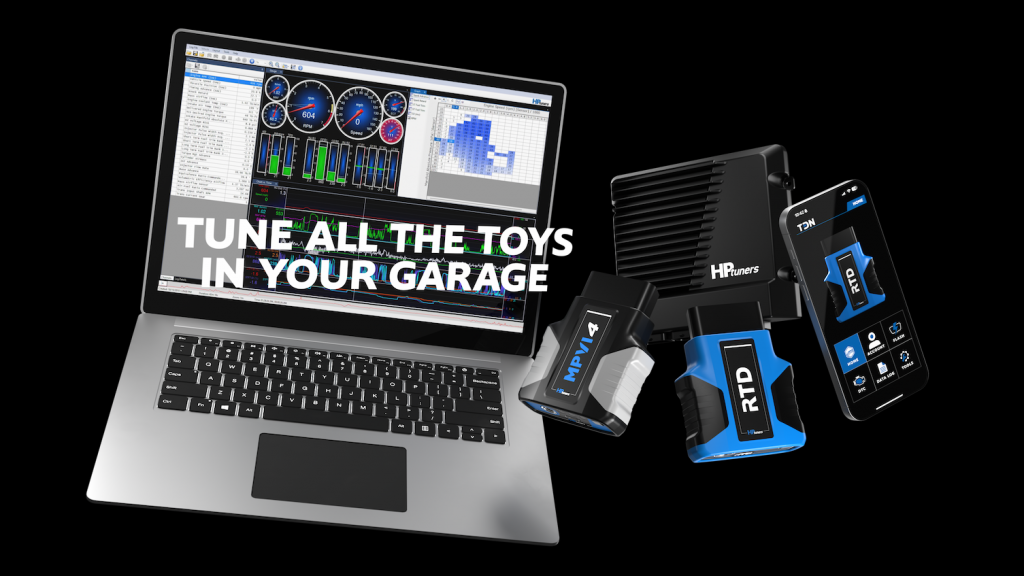
If you’re standardizing an emissions-focused workflow, pair VCM Scanner with MPVI4 for data acquisition and control, then deliver and manage customer files through RTD and TDN.
- RTD (Remote Tuning Device): Approved partners can use HP Tuners’ Private Label RTD program to provide a fully branded device and a streamlined path for submitting calibrations for EO consideration.
- TDN (Tune Delivery Network): Manage customer devices, deliver updates, and track progress remotely.
FAQ
Does this certify my calibration?
No. True certification is performed by an independent, certified laboratory. VCM Scanner’s Drive Cycle panel helps you reproduce official traces, capture data, and document behavior during R&D. You cannot self-certify.
Are drive cycles used to set OBD readiness?
No. Standardized certification cycles are not intended to set readiness. Readiness must be complete prior to any lab test. Use the Emissions Monitors view and vehicle-specific procedures in your general workflow to confirm readiness.
Which vehicles are supported?
Coverage varies by controller/vehicle. If the Drive Cycle panel is present in your layout, select the appropriate cycle and confirm behavior using the Emissions Monitors view.
Which VCM Suite version do I need?
Drive Cycle panel is available in VCM Suite 4.13+. Update to the latest VCM Suite for the best experience.
Ready to Check Out Drive Cycles?
Open VCM Scanner, load the Drive Cycle panel, and run a guided cycle on your next calibration. Use MPVI4 for scanning/logging and—if you support customers remotely—leverage RTD and TDN to deliver and manage files efficiently.
If you’re interested in learning more, utilize our Help Center, Forum, Educational YouTube videos, or reach out to our technical support team.