

Adding a Characteristic List
Characteristic lists contain a number of tunable parameters whose values can be adjusted by the user. To add such a list,
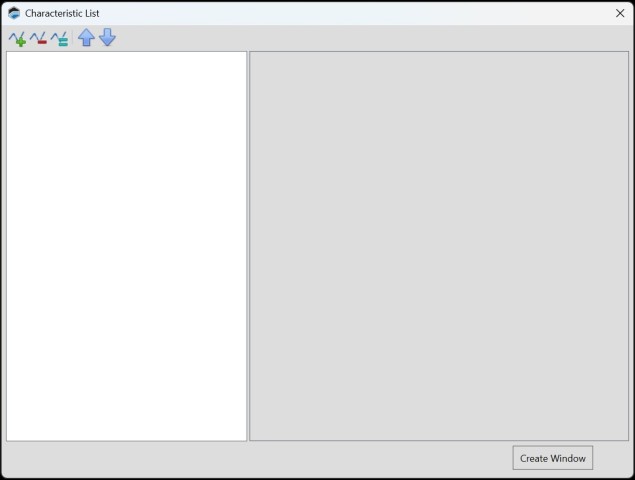
| 1. | In the menu bar, select Layout > Add Control > Add Characteristic > Add List. The below window will appear. |
| 2. | Click  icon and the below window will appear. Search for the characteristic (s) you wish to add. icon and the below window will appear. Search for the characteristic (s) you wish to add. |
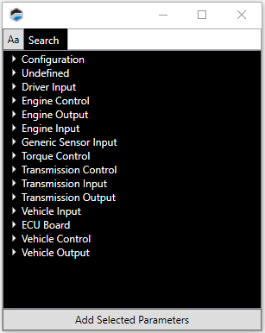
| 3. | Double-click on the characteristic you wish to add. |
| 4. | When all the characteristics that you want to include in the list have been added and configured, click Create Window. |
Toolbar
|
|
Add a new characteristic to the list. To complete setup, you must configure the characteristic's parameters. |

|
Delete the characteristic selected in the left column. |

|
Duplicate the characteristic selected in the column on the left. |

|
Move the characteristic selected in the left column upwards in the list. |

|
Move the characteristic selected in the left column downwards in the list. |
