Obtaining A New Interface Device
You can purchase the latest HP Tuners interface device from our website. Upgrades to the current interface from older interface devices may also available.
Purchasing an Interface Device
|
1.
|
Navigate to the current device's page on the HP Tuners website: |
|
2.
|
Scroll down to the Configuration section. |
|
3.
|
If you wish to purchase a license for the Pro Feature Set with an MPVI2+, check the PRO FEATURE SET LICENSE box. In addition to the license, you will receive a Pro Link+ cable with the device. |
NOTE: Although Pro Feature Set is included with MPVI4, the device does not come with a Pro Link+ cable. This must be purchased separately at https://www.hptuners.com/product/pro-link-plus/.
|
4.
|
If you wish to load your device with credits immediately, select the number of credits to add. |
NOTE: If you won't be flashing tunes to vehicles immediately, this can wait. Credits can be purchased at any time. See Adding Credits.
|
5.
|
Click Add To Cart and proceed to checkout. |
Upgrading From Older Interfaces
Upgrades to the current interface from older HP Tuners devices are usually available. Follow these steps to upgrade your older device to the current interface:
|
1.
|
Backup the licenses and credits on your existing interface: |
|
a.
|
Connect the interface to a computer that has the VCM Suite installed. |
|
b.
|
Start VCM Editor and select Help > Resync Interface from menu bar. |
|
3.
|
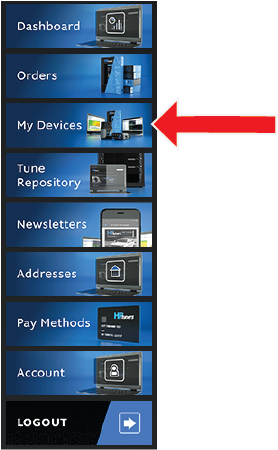
Select the My Devices tab. You will find this tab located in the sidebar on the left side of the screen. |
|
4.
|
Scroll down to the list of registered devices and select Upgrade next to the device you wish to upgrade. |
|
6.
|
Ship your old interface to the address below and include your order number on the outside of the box. |
NOTE: This is an exchange. You will NOT receive your old device back.
Shipping Address
HP Tuners LLC
RE: Interface Upgrade
700 Eastwood Ln
Buffalo Grove, IL 60089


