RTT VE Tuning Example
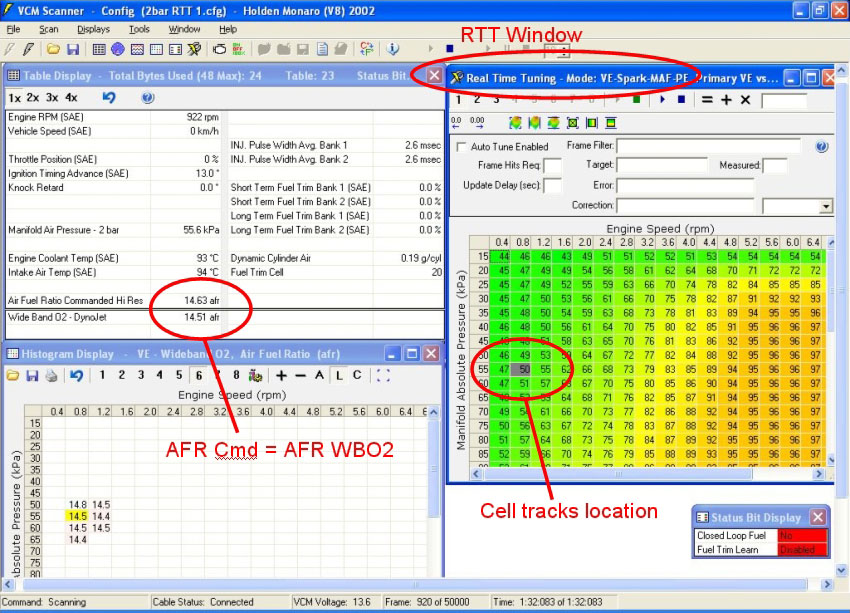
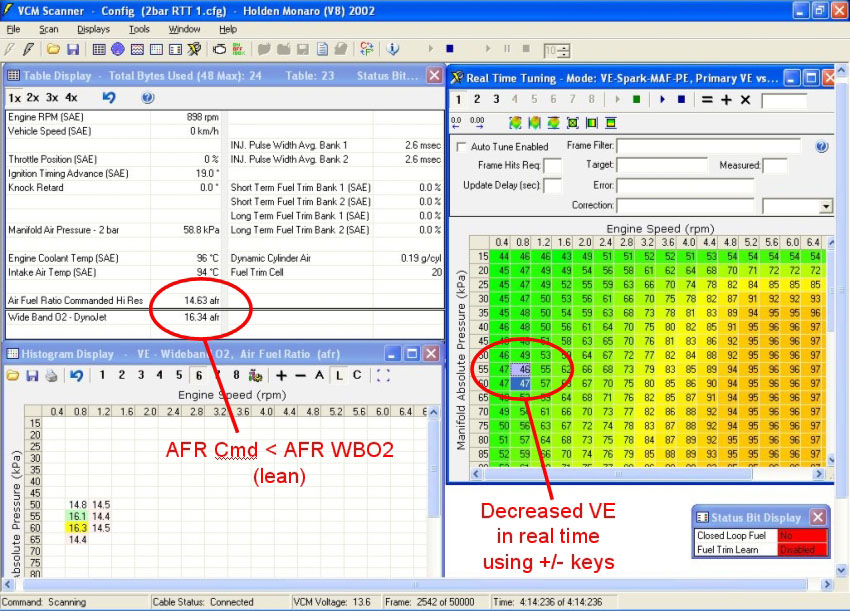
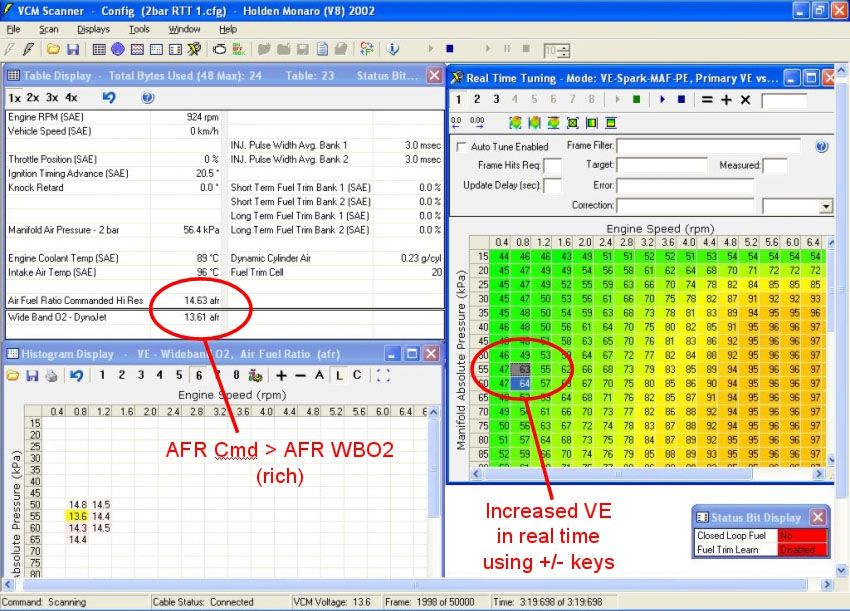
The images below show real time modification of the VE table at openloop idle and the effect on measured AFR.
NOTE:
A selected VE table value can be increased/decreased by pressing the +/- keys just as in VCM Editor. Other VCM Editor table functions also work here.