

User Interface
|
Item |
Description |
|---|---|
|
1. |
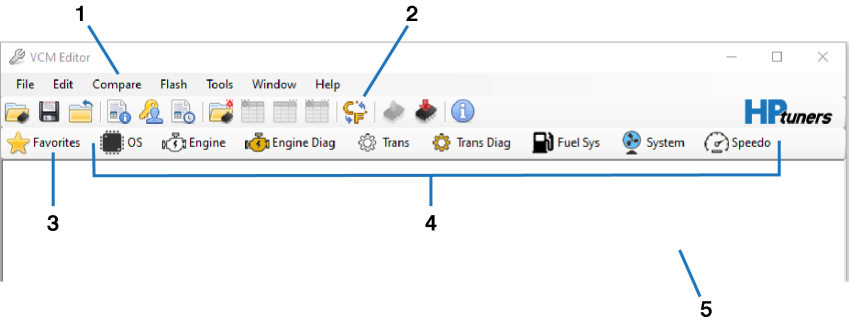
Menu Bar. See Menu Bar for descriptions of individual menus. |
|
2. |
Toolbar. See Main Toolbar for descriptions of individual items. |
|
3. |
Favorites Icon. Click to open the Favorites window. See Using Favorites. |
|
4. |
Tab Navigation Interface (Top Level). Click an icon to browse the parameters in the open tune file. See Tab Style Navigation for details. |
|
5. |
Workspace. When you open additional windows in VCM Editor, they appear in this space. |
